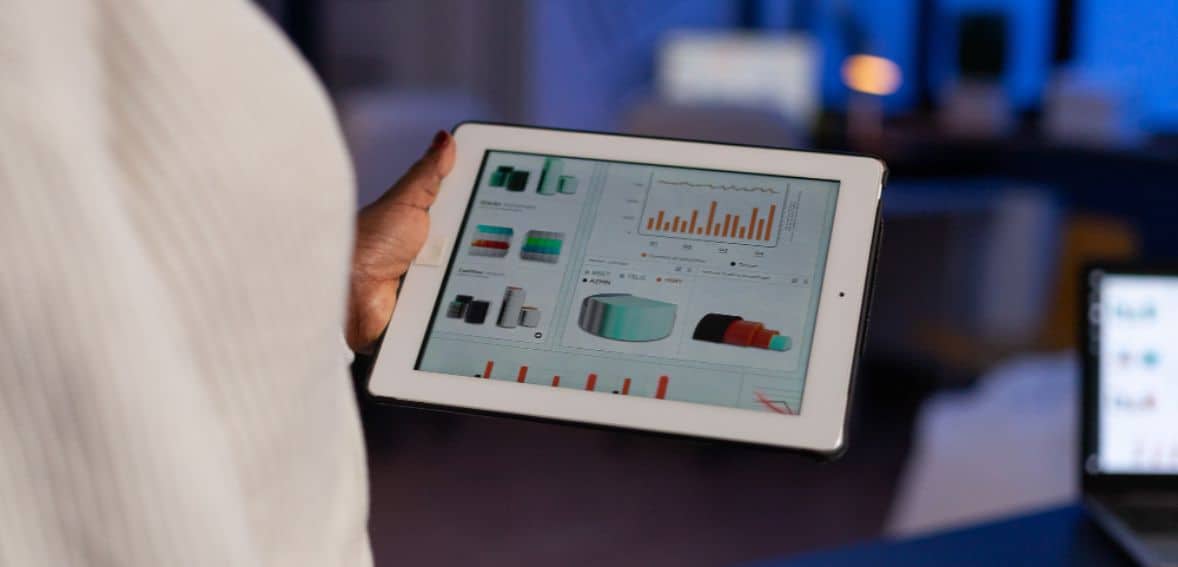
POS reports have a key role in helping businesses stay in control of inventory and cash flow. They clearly show what is selling, what is sitting on the shelves, and how cash is moving through the business. In short, with accurate data from a reliable and quick POS, companies can make wiser decisions by eliminating waste, avoiding stock issues, and maintaining positive cash flow in a non-stressful manner.
Why Being Busy Doesn't Always Mean Your Business Is Doing Well
Just because you are feeling busy all day doesn’t mean your business is necessarily doing well. Many small and growing businesses navigate their way through performance by using gut feeling. Sales seem higher, staff look occupied, and inventory looks under control. But unless you track the right numbers, these feelings can mislead you. You may be selling more but earning less, or staying busy with products that are not really profitable.
Without good reports, the key questions remain unanswered. You may not know if your profits are increasing or if the sales volume is growing. Some of the products may sell like hotcakes, while others may sit on the shelves and gather dust. The peak hours of doing business might not be utilized fully, and the small billing mistakes start eroding your revenue over time. Unless this is represented clearly by data, it remains hidden and impacts the growth in due course.
True business performance encompasses more than daily sales totals; it consists of how sales change over weeks and months, what products and categories perform the best, and how fast inventory is moving. It is about understanding payment methods, staff efficiency, common mistakes, and even customer buying patterns at busy hours. Modern POS systems track all of this in real time to give business owners a real-time picture instead of waiting for month-end reports.
Relying on manual registers or spreadsheets brings its own set of issues. The data is often delayed, mistakes are overlooked, and the trend may go unnoticed. Decisions become reactive instead of planned. As a business grows or adds locations, manual reporting becomes even harder to manage.
Why Inventory Reporting is Important

Inventory reporting has a major role to play in keeping your business profitable as well as stress-free. The fact that you do not have accurate inventory information means that you are making decisions on assumptions. By using a point of sale inventory report solution, you will eliminate all these uncertainties since you will know what you are selling as well as what you are not selling. This will allow you to know how buyers are behaving; hence, you will restock accordingly without tying all your money into slow-moving items.
Most Important POS Inventory Reports to Assist You in Buying Rightly
The stock on hand report gives you a report on the availability of each particular stock you have. The report will enable you to easily detect the stock that is running low in the market and the stock that is in demand. It will allow you to order stock in a calm manner without the fear of stock shortage and without holding too much stock in custody due to cash shortage.
A low stock alert report system makes inventory management much simpler because you receive automatic notifications when the level of certain items falls below a certain quantity. You no longer need to check physically or through a spreadsheet to see when you need to reorder an item because with this system, you will definitely know when the time to reorder has come.
The report of the best-selling products indicates what items are most commonly purchased. Now you can focus on reordering items, preparing for peak seasons, and adding similar items that will probably do well. In the long run, you will determine what the customers want by observing their habits.
Slow-moving inventory reports highlight items that are not moving as expected. A slow-moving inventory report is important as it shows items that are sitting in inventory and hindering cash flow. With this report, you can consider discounting, product bundling, and not stocking items that are not profitable.
Comparison between sales and inventory is done by analyzing what you have sold and what you currently have in the form of stock. This reduces the chances of overbuying slow sellers or running out of fast-moving products, leading to better balance and fewer losses.
Purchase order history reports provide you with valuable information regarding your past purchasing behavior. With the help of these reports, you can analyze the frequency of reorders of products, the quantity of reorders, as well as the suppliers from whom the reorders are placed.
Important POS Reports That Help Improve Cash Flow Management for Small Businesses
The owner of a small business does not necessarily need to go through all the possible reports that his or her POS provides. However, a few selected reports will help a great deal to improve cash flow. They will give a clear view of where the cash is coming from, where it is being stuck, and how to keep it flowing.
General analysis reports are the first area you should explore. Firstly, the POS dashboard and summary report are good starting points. From here, you receive instant feedback on your sales, transactions, and expenses.
Since most dashboards have real-time features, you can check the performance of your business and know whether you are experiencing difficulties in sales and costs at the time. This provides you with a bird’s-eye perspective to check for any areas where things are not moving in the right direction, such as declining stocks or cash flow.
Secondly, accounting reports provide major control over cash flow. General ledger and accounting reports show where money is coming in and where it is going, including refunds, expenses, liabilities, and deposits. When those reports are easy to export into tools such as Excel or accounting software, you save time and reduce errors. Clear accounting data helps you stay on top of payables and receivables, avoid cash gaps, and make smarter financial decisions without digging through spreadsheets.
Just as we discussed before, inventory reports directly impact how much cash is tied up in stock. Inventory summaries present what you have on hand, while valuation reports show how much money sits on your shelves. Reorder reports avoid overbuying and enable you to restock only what you need. By avoiding excess inventory and reducing waste, cash is freed that would otherwise be locked into slow-moving products. It is much easier to reinvest it in those areas that actually create revenue.
Thirdly, sales, payment, and customer reports provide you with insights into what is driving your sales and how your customers like to pay. These reports provide you with information such as best and worst sellers, times when you have made the most sales, payment channels, and average values. Based on these reports, you will be able to concentrate on high-performing items, optimal pricing, and even cut costly payment channels that have not been used for a while.
Additionally, employee management reports enable small business managers to efficiently monitor one of the largest business expenditures, which is labor. It becomes easy to identify labor inefficiencies by understanding the number of hours worked, sales made by each employee, or overall labor expenditure.
Employee management reports enable managers to more efficiently allocate employees for the demand that has arisen, keep unnecessary overtime to a minimum, and boost productivity.
With consistent usage, these POS reports can convert data into meaningful information. You can quit making assumptions and make decisions informed by facts, and therefore have better spending control, procurement, and cash flow.
Common POS Reporting Mistakes That Can Hurt Business Decisions
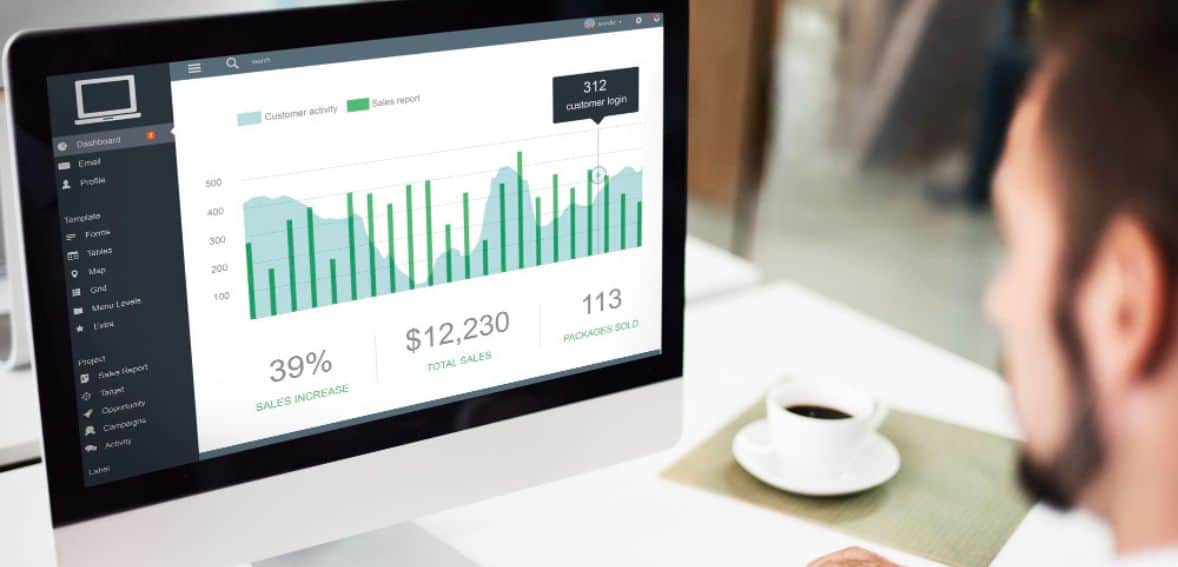
When used the right way, POS reports can make daily business decisions much easier. However, when misunderstood or ignored, they can do more harm than good. Below are some common mistakes businesses make with POS reports.
Firstly, one of the common mistakes is dependency on outdated information. Business conditions change fast, and decisions linked with old reports often miss what is happening right now. For example, using last month’s sales data to plan today’s inventory can result in ordering items that no longer sell well or running out of products customers currently want. This may lock up cash in unwanted stock or cause missed sales. The best solution lies in using the most recent reports available. A real-time POS system in sales and inventory data helps to take immediate action, make wiser plans, and keep pace with current demand.
Ignoring the insights in reports is another big issue. Many businesses generate reports regularly but never truly review them or act on the information. The point here is that if the sales report indicates the increasing popularity of a product in the marketplace, failure to replenish the inventory due to a lack of action on the findings of the report translates to lost money. The same applies to the products that are not doing well, consuming storage space, and generating expenses. Reports should not be treated as unread emails. They should be examined daily.
Thirdly, misinterpreting data is also another cause of bad decisions. Large numbers of sales, for example, appear great, but they should not necessarily translate to high profits. It is advisable to review the cost, fees, discounts, as well as returns, to avoid thinking the business is performing well when, in fact, it is not. However, it is important to understand what each piece of data signifies clearly. All figures should be evaluated together, such as net profit, repeat clients, and stock turns, to get a clearer understanding of how the business is growing.
Additionally, another mistake in writing reports is making them too complex. In a report filled with too many metrics, charts, and data points, the meaningful insights get lost. Rather than helping, it confuses and overwhelms employees. This means it will be harder to take action, and it will slow down decision-making. Simplicity goes a long way when it comes to reports. Only focus on the numbers that matter most to your business, like daily sales, low stock items, cash trends, or customer behavior. Most POS systems will allow you to customize reports so that you see only what you need.
Avoiding these common mistakes helps businesses derive real value from their POS reports. When used the right way, POS data becomes a powerful tool to support smarter decisions, improve cash flow, and keep the business running well.
Simplify Multilocation Performance Tracking with Real-Time POS Analytics

It is difficult enough to handle one store. Topping it off with multiple locations can tend to confuse you in tracking performance. This is where the effect of real-time POS data comes into play. Without having to wait for reports coming in from each branch, you instantly have a full view of how every location is performing.
Real-time POS analytics support multi-location businesses in managing inventory waste, inventory shortages, and daily operating expenses. By understanding what is being sold and where it is being sold, businesses can optimize inventory movements, inventory replenishment, and the conservation of cash flow. It becomes simpler to optimize profitability in all stores rather than focusing on the best-performing ones.
Centralized reporting in the Point of Sale makes the management of multiple locations seamless by providing all the information on one platform. It gives the manager the opportunity to compare the sales data from the various locations and even get the consolidated report on one desktop. It also offers the manager the chance to set the same targets for multiple locations.
Choosing the Right Business POS System

To choose the right POS system, you must first understand what your needs are. Firstly, every business is different. A retail shop needs different POS features when compared to those of a restaurant. The size of your business is also important. You require different POS systems depending on how big or how small your shop is.
Secondly, you also need to know how your customers shop. If you have returning customers, customer tracking features are helpful. Moving on, you need to concentrate on the basic aspect of your business that keeps operating on a daily basis. The first aspect of a POS system is its ability to handle all types of transactions efficiently, such as cash, credit, and mobile payments. Thirdly, another important aspect is inventory, which can be efficiently handled through real-time stock updates, low stock notifications, and inventory reports. Employee management aspects can also help a lot.
Additionally, ease of use, on the other hand, is something many businesses overlook. A POS system must be simple enough that staff can understand it after a little study. When the layout on the screen is clear and the steps are not complicated, employees tend to make fewer mistakes, especially during busy hours. Less training time taken by them also enables the newer ones to join work sooner without hampering the operations.
Let’s not forget integration. A very good POS system should be integrated with your accounting software, online store, and payment providers. It also prevents manual data entry and reduces errors. When systems communicate, the result is a sense of smooth flow and better daily operations.
Security is something that one should never compromise with. Your POS needs to safeguard customer data with its robust security features. It also needs to meet the standards of PCI compliance that would keep card payments safe. Fraud detection features are an add-on in protection as well as a way to avoid losses.
Your POS should grow with your business. Find one that can grow by adding features, locations, or services. Centrally controlling multiple locations vastly simplifies management and keeps things consistent across all sites. Another thing to always consider is cost, and you should think past the price tag alone. Hardware, software, and support costs are all things you need to keep a good eye on, and also want to ensure you’re seeing value for what you pay and not paying for services you’ll never utilize.
It is also useful to consider a POS system that is in line with market trends. It has become the norm to provide mobile and contactless payments. Omnichannel capabilities make a significant difference in its online-offline business capabilities.
Finally, think about the long term. A future-proof POS solution will be constantly updated with the newest technology and change alongside your business. From new payment options to improved analytics and customer engagement tools, your POS solution should be ready for the future.
Conclusion
The POS report translates daily sales and inventory information into meaningful information for making informed decisions. The report helps businesses order the right items, minimize tied-up funds from unsold items in inventory, and ensure a constant stream of funds. With such information from precise reporting, you can anticipate the future and prevent unexpected events while keeping your business running optimally.
FAQs
In what ways do POS reports benefit inventory management?
These provide inventory levels, sales data, and slow-moving inventory, which assist in preventing overstocking and inventory shortages.
Can the reports produced by a point-of-sale system improve cash flow?
Well, yes, they do keep excess inventory in check, unblock cash flow, and enhance informed decisions.
How often should the reports be reviewed?
Holding a review on a daily or weekly basis is always the best practice in getting to any problems early.
Do POS reports minimize losses?
They assist in detecting mistakes, theft, and unsold merchandise before losses affect net profits.
Can POS reports be beneficial to all businesses?
Absolutely. They give very insightful pointers on how small businesses can plan for the future.